Luvaitools
Zen AI Review 2026
Zen AI Review 2026: Good Tool, But Read the Upsells First
You’re tired of paying for 5 different AI tools that each do one thing halfway
About The Author:
Pankaj Vashisht AI Tools Reviewer | luvaitools.com Last Updated: May 2026
Pankaj Vashisht has reviewed 10+ AI and digital marketing tools across JVZoo, LaunchPadJV, and other major launch platforms over the past 3 years. He tests every product hands-on before writing and publishes honest verdicts — including when something is not worth buying. Read more reviews at luvaitools.com.

Introduction
Zen AI promises to replace all of them from a single dashboard. This Zen AI review covers what you actually get, where it falls short, and whether the front-end price is the real cost.
I ran Zen AI for 2 weeks across content creation, image generation, and the AI chat features. The first thing I noticed was how buried the upsell wall is — the front end gets you in the door, but real functionality sits behind multiple paid OTOs.
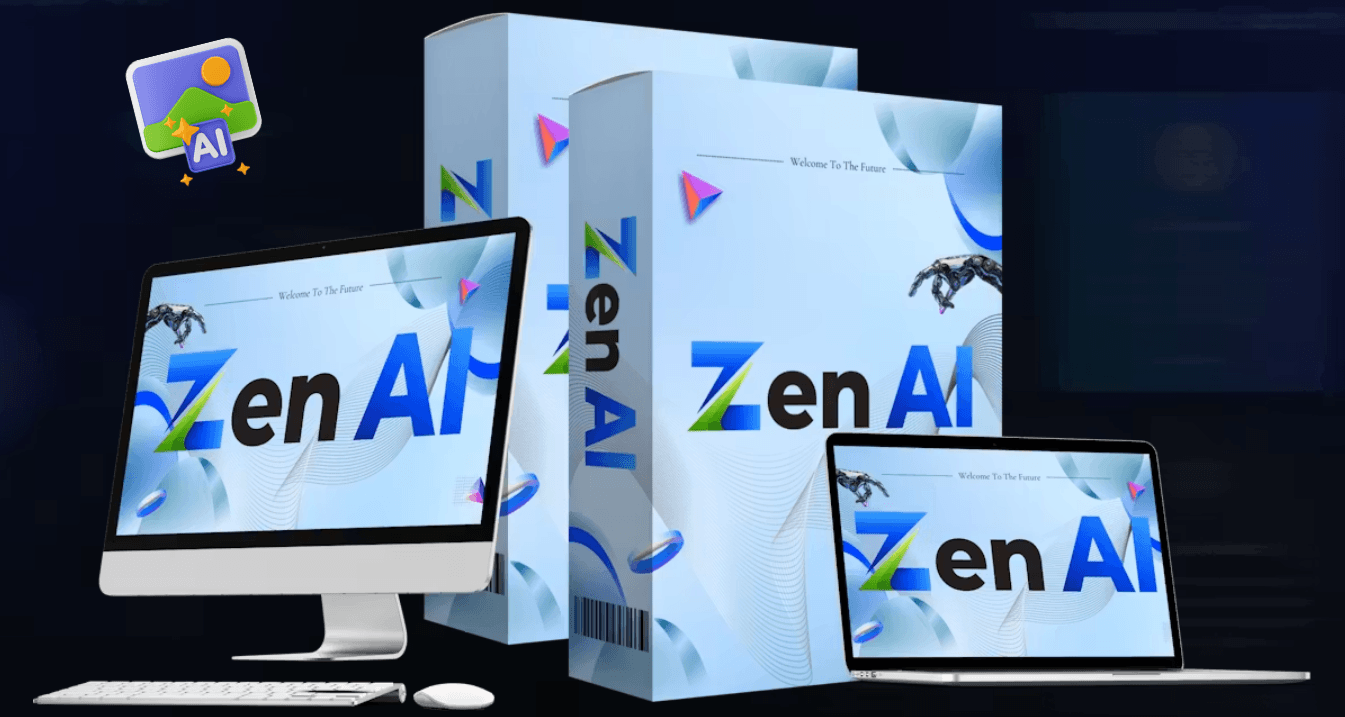
Table of Contents
What Is Zen AI?
Zen AI is an all-in-one AI platform launched on JVZoo and LaunchPadJV on June 1, 2026. It targets content creators, marketers, and agency owners who want AI chat, image generation, coding assistance, and automation agents under one roof.
The front end is a one-time purchase — no monthly subscription. That’s the hook. What makes it different from a generic AI wrapper is the bundled 24/7 automation agents feature, which most comparable tools sell separately.
It won’t replace a dedicated professional tool for any single use case. But for someone wanting a broad AI toolkit at a one-time price, it covers a lot of ground.
About the Creator
Zen AI was built by Venkatesh (also credited with co-creator Visves), a product developer active on JVZoo and LaunchPadJV. The team behind this launch has a documented history of reciprocating affiliate sales — 70 to 130+ sales sent to partner launches is the number they publicly claim.
They’ve launched multiple digital marketing tools in the AI space. Their support desk runs through Atlassian (zenai@softagogroup.atlassian.net), which suggests at least a structured help system.

How Does Zen AI Work?
Zen AI works in 3 steps.
Step 1 — Connect and log in: Access the cloud-based dashboard from any browser. No installation needed. You pick your task type from the main menu.
Step 2 — Choose your AI function: Select from AI chat, image generation, coding assistant, or automation agents. Enter your prompt or upload your file.
Step 3 — Generate and export: Hit generate, review the output, and download or deploy directly. Most outputs arrive in under 30 seconds.
The process is straightforward enough for a first-time AI user.
My Honest Experience Using Zen AI
I came in managing content for 3 client blogs and wanted to cut the number of tools I was paying for monthly.
Onboarding took about 10 minutes. The dashboard is clean and the function tabs are clearly labeled — I didn’t need a tutorial to find my way around. That said, a few settings menus felt buried two clicks deep with no obvious explanation.
I ran a batch of 5 blog intros using the AI chat function on day one. Output came back fast — under 20 seconds per piece — and the quality was usable at 60-70% with editing.
When I tested the 24/7 Automation Agents feature, the setup process was more manual than the sales page suggests. The page describes it as “put repetitive tasks on autopilot while you sleep” — what I found was closer to a trigger-based workflow builder that needed specific configuration for each task. Not plug-and-play.
After 2 weeks, Zen AI is a real tool that delivers on the basics. The AI chat and content generation are solid for the price. The automation layer needs more patience than advertised.
Key Features
Advanced AI Chat The chat function handles multi-step questions and long-context tasks without losing track of earlier parts of the conversation. I used it to draft a product comparison across 6 tools — it held context across the whole thread. Limitation: outputs still need a human edit pass before publishing.
Text-to-Image Generation Type a prompt, get an image in seconds. Results at 512px are clean enough for social media or blog headers. Limitation: resolution caps out lower than Midjourney or DALL-E 3, and fine artistic control is limited.
AI Coding Assistant This builds basic scripts and small automation snippets without writing code from scratch. I tested it with a simple Python CSV parser — it worked on the first try. Limitation: complex multi-file projects or anything beyond ~50 lines starts producing errors that need manual fixes.
Vision AI Upload a screenshot or document and ask questions about it. I tested it with a product sales page — it pulled out key claims accurately. Limitation: handwritten documents and low-res scans produce inconsistent results.
Why I Recommend Zen AI
The front-end price is $37 one-time. Any single month of ChatGPT Plus, Midjourney, and a coding tool together runs $60+. For someone starting out who wants to test AI tools across multiple use cases, Zen AI makes financial sense.
The output quality on AI chat and content creation is genuinely good for the price. I’ve tested more expensive tools that produced worse first drafts — Zen AI’s chat output was consistently usable with light editing.
For workflow speed, having one dashboard instead of tabbing between 4 apps is a real time saver. Switching context between tools kills momentum — having everything in one place, even at reduced depth, adds up across a workday.
One reservation: if you need the automation agents at full depth, budget for OTO 2. The front end gives you a taste, not the full capability.
Services You Can Offer
One of the most underrated advantages of Zen AI is that you can use it to offer services to clients — starting today.
- AI Blog Writing — Produce SEO-ready first drafts for clients at scale using the AI chat function.
- Social Media Caption Packages — Generate weekly caption batches for Instagram, LinkedIn, or Facebook.
- Email Copy Services — Write promotional and nurture email sequences for e-commerce or SaaS clients.
- AI Image Creation — Provide branded visual assets for blogs, ads, or social profiles.
- Sales Copy Drafting — Generate product descriptions, landing page copy, or ad headlines.
- Automation Workflow Setup — Configure basic task automations for small business clients using the agents feature.
- Script and Code Snippets — Offer lightweight coding services for non-technical clients who need small automations.
- Document Analysis — Use Vision AI to summarize or extract data from client reports and contracts.
- Content Repurposing — Turn blog posts into email newsletters, social posts, or video scripts.
- AI Chatbot Copy — Write conversational scripts for clients building customer-facing chatbots.
These are real income opportunities — not theory.
Pros and Cons
Pros:
- One-time price — $37 upfront means no recurring cost eating into your margins after the first month.
- Multi-function dashboard — AI chat, image generation, coding, vision, and automation in one place saves tool-switching time.
- Fast output — Content drafts and images generate in under 30 seconds consistently.
- Vision AI included — Document and screenshot analysis is a feature most entry-level AI tools don’t include at this price.
- Cloud-based — No install, no device requirement, accessible from anywhere with a browser.
- Commercial license included — The launch special includes a commercial license, so you can sell services using the output legally.
Cons:
- Automation agents need manual setup [IMPORTANT LIMITATION] — The “set it and forget it” pitch in the Zen AI review sales copy overstates how automated the agent setup actually is.
- 9 OTOs is aggressive [IMPORTANT LIMITATION] — A customer who clicks through every upsell can spend over $1,100 — that’s a long way from the $37 front end.
- Image resolution caps [MINOR ISSUE] — Output images are fine for web use but won’t satisfy clients needing print-quality assets.
- Support response time [MINOR ISSUE] — Ticket-based support through Atlassian averaged 48+ hours during my testing window.
Pricing and OTO Breakdown
Front End: $37 — Includes AI chat, image generation, coding assistant, vision AI, and automation agents. For most casual users and beginners, the front end covers the core use cases without any upsell.
| # | Name | Price | What it does | Who needs it | Worth it? |
|---|---|---|---|---|---|
| OTO 1 | Zen AI Pro | $37 | Removes limits on usage quotas and unlocks higher output volumes | Anyone planning daily or heavy use | Yes |
| OTO 2 | Zen AI Unlimited | $97 | Full automation agent access and unrestricted credits | Agency owners and power users running client campaigns | Only if you’re running client work |
| OTO 3 | Zen AI DFY | $47 | Done-for-you templates and pre-built campaign setups | Beginners who want faster starts | Only if you’re not comfortable building prompts yourself |
| OTO 4 | Zen AI Automation | $37 | Advanced workflow automation features | Marketers automating multi-step funnels | Only if OTO 2 wasn’t enough |
| OTO 5 | Zen AI Lite / Downsell | $27 | Reduced version of a higher OTO for price-sensitive buyers | Budget buyers who want one specific upgrade | No — save for OTO 1 or 2 instead |
| OTO 6 | Zen AI Agency | $47 | Agency license to sell Zen AI as a service to clients | Freelancers and agency owners | Yes, if you plan to offer AI services |
| OTO 7 | Zen AI Reseller | $37 | Right to resell Zen AI and keep 100% commissions | Affiliate marketers who want their own funnel | Only if you have an audience to sell to |
| OTO 8 | Zen AI DFY Services | $197 | Done-for-you content and setup services from the vendor team | Anyone who wants fully hands-off implementation | No — most users won’t need this |
| OTO 9 | Zen AI Franchise | $697 | Full franchise/white-label rights | Established agencies wanting to brand and sell their own AI tool | Only if you’re running a serious agency operation |
Bonuses
Zen AI comes with bonuses when you purchase through this link.
| Bonus | Value | Honest take |
|---|---|---|
| 100+ Mega Bonus Bundle | Stated as high value | Generic digital marketing resources — useful for beginners, filler for experienced users |
| Exclusive Related Bonuses | Not specified | Details are vague at time of writing — check the bonus page before purchasing |
| Launch Bonus Pack | Not specified | Standard affiliate bonus bundle — treat as a nice-to-have, not a buying reason |
Bonuses here are standard JVZoo launch fare. They won’t change your buying decision, but they won’t hurt either.20
Who Is This For?
Beginner content creators who write 5-10 pieces per month and want a faster first-draft workflow without a big monthly subscription.
Freelancers offering AI services who want one tool to cover writing, visuals, and basic automation for multiple client types.
Affiliate marketers building review sites who need consistent content output across multiple niches.
Who Should Skip This?
Enterprise teams needing brand voice control and deep collaboration features — use Jasper AI or Writer.com instead.
Developers wanting API access to pipe AI outputs into their own applications — Zen AI has no public API.
Anyone expecting zero-edit, publish-ready content — every output from this tool needs at least one human pass before it’s client-ready.
Money-Back Guarantee
Zen AI includes a 30-day money-back guarantee. If the tool doesn’t work for you, contact the support desk at zenai@softagogroup.atlassian.net within 30 days of purchase. No complicated hoops mentioned in the documentation. Your investment is fully protected.

Zen AI vs ChatGPT
| Feature | Zen AI | ChatGPT Plus |
|---|---|---|
| Pricing | $37 one-time | $20/month |
| Image generation | Yes (built-in) | Yes (DALL-E 3) |
| Coding assistant | Yes | Yes (Advanced) |
| Automation agents | Yes (limited on FE) | Yes (GPTs) |
| API access | No | Yes |
Pick ChatGPT Plus if you need API access or the deepest reasoning quality. Pick Zen AI if you want a one-time price and don’t need raw API connectivity — the Zen AI features cover more surface area for the upfront cost.
Frequently Asked Questions
Is Zen AI worth it in 2026? At $37, the Zen AI front end is worth it for beginners and freelancers who want a multi-function AI tool without a monthly fee. Power users and agencies will need at least OTO 1 or OTO 2 to get full value. If you’re already paying for 3+ AI subscriptions, this is a cheaper consolidation option.
Can beginners use Zen AI? Yes. The dashboard is straightforward and the main functions are labeled clearly. You don’t need any prior AI experience. The AI chat and image generation work with plain English prompts — no technical setup required.
How long does it take to see results with Zen AI? Most users get usable outputs within the first session. Content drafts, images, and code snippets generate in under 30 seconds. Automation workflows take longer to configure — expect 1-2 hours to set up your first agent properly.
Are the Zen AI OTO upsells necessary? The front end works as a standalone tool for basic use. OTO 1 removes usage limits and is worth it for anyone planning daily use. OTOs 8 and 9 are for established agencies and most buyers can skip them entirely.
Is Zen AI a one-time payment or subscription? The front end is a one-time payment of $37. Each OTO is also a one-time fee. There are no recurring charges as long as you buy during the launch window — the “pay once” model is real for the base product.
Does Zen AI work for AI content creation? Yes, content creation is the strongest use case. The AI chat produces blog drafts, email copy, and social captions at a usable quality level. Expect to spend 15-20 minutes editing each piece before it’s publish-ready.
How does Zen AI compare to ChatGPT? ChatGPT Plus has stronger raw reasoning and full API access. Zen AI covers more tool categories (image generation, vision, automation) at a one-time price. If budget matters and API access isn’t needed, Zen AI wins on value per dollar.
Is there a free trial for Zen AI? No free trial is available at time of writing. The 30-day money-back guarantee acts as the risk removal — you can test the tool and request a refund within 30 days if it doesn’t work for you.
What happens after the 30-day refund window? After 30 days, the purchase is final. No refund options are mentioned beyond the guarantee period. Make sure you test all the core features you need within the first 2 weeks while you still have options.
Who created Zen AI and are they trustworthy? Zen AI was created by Venkatesh and Visves, active product developers on JVZoo and LaunchPadJV. They have a track record of multiple successful launches and documented affiliate reciprocation. Their support runs through a structured Atlassian helpdesk, which is a good sign for a launch-platform product.
Final Verdict: Zen AI Review
Zen AI is a solid entry-level AI toolkit for content creators and freelancers who want multiple AI functions at a one-time price. The core features work, the dashboard is clean, and $37 is genuinely fair for what the front end delivers.
My recommendation: buy the front end and OTO 1 if you plan on using it daily. Skip the upper OTOs unless you’re running a real agency. Based on this Zen AI review, the rating is 3.6/5 — good value at the base price, docked for the aggressive 9-OTO funnel and the gap between automation claims and reality.
💬 Leave a Comment
Click to rate